
Staying Safe in ChatGPT and Claude

No matter how you feel about AI, we’re hearing a lot about it lately. Clients mention AI searches as casually as they might have once done with Google searches, and it is starting to become woven into the fabric of our lives.
There are a lot of reasons people might also be hesitant about AI – which is fine. I have personally gone to great lengths to ensure that AI features are disabled within my private practice, as I cannot run the risk of client data being shared or drawn from by AI servers without each and every one of my client’s explicit consent.
I posted an Instagram Reel last month talking very loosely about the rise of AI use, urging people that do make regular use of AI – particularly to see them through mental health challenges they might face – to do so with caution. Mental Health UK have a particularly thorough page on AI and mental health, exploring key terms associated with AI, where AI might help with mental health, as well as explaining the risks of using AI in exactly this manner. What I wanted to add to the discussion here was some of the safety features built into two of the biggest AI platforms to help keep you safe.
I’ll update this as often as I can when I see new features have been added, but here is where things stand today.
ChatGPT
Tap your profile picture, and then go to Settings.
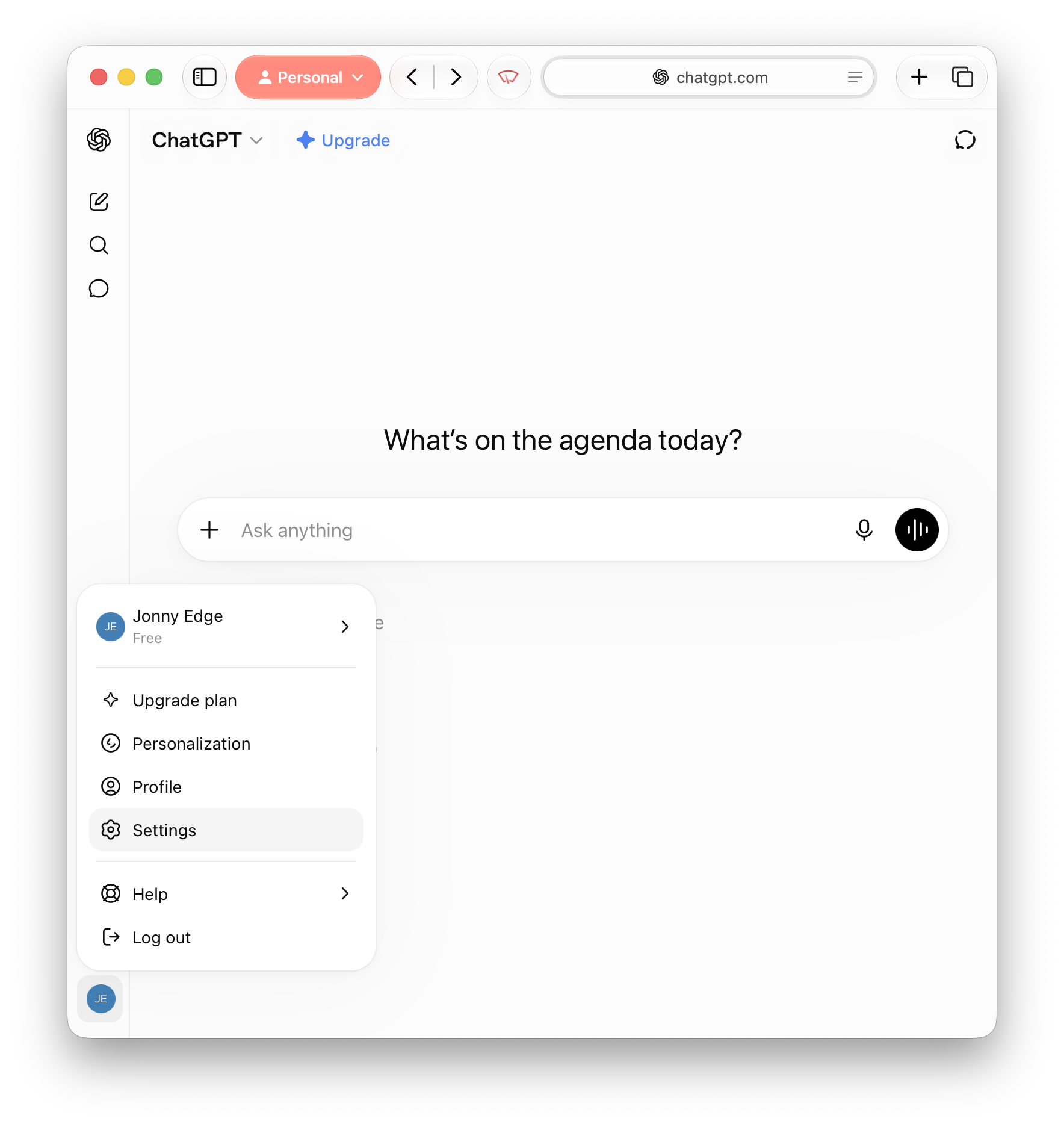
Once you’ve gotten to Settings, there are three options within the menu worth considering to make your use of ChatGPT safer.
Safety > Reduce sensitive content
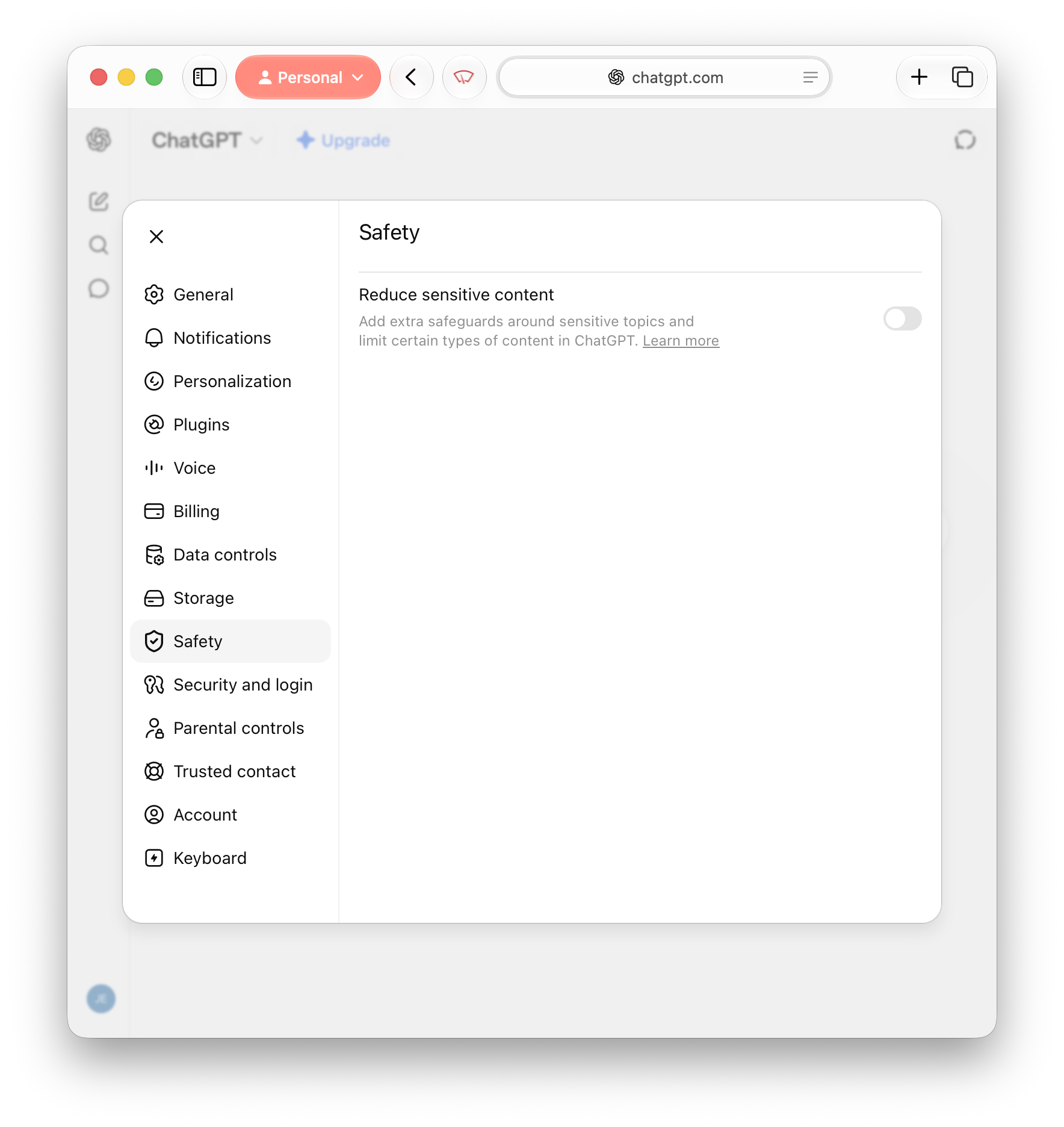
First, there is the option under Safety labelled ‘Reduce sensitive content’, which you can toggle on or off. This option is on by default for anyone under 18, and makes ChatGPT “respond more cautiously” to topics such as:
Graphic violence or gore
Viral challenges encouraging dangerous or risky behaviour
Sexual, romantic, or violent roleplay
Content promoting extreme beauty standards, unhealthy diets or body shaming
Other sensitive or age-inappropriate content
These categories are vague, granted, and are quickly followed up by a statement from OpenAI making no guarantees that every response will be fully appropriate if this toggle is enabled, though we can only hope that the odds will be much more favourable by having this option on versus if you didn’t at all.
Safety > Trusted contact
I’ll come to Parental Controls in a second, because this next feature is something everyone should set up in ChatGPT, no matter how they plan to use it – a Trusted Contact.
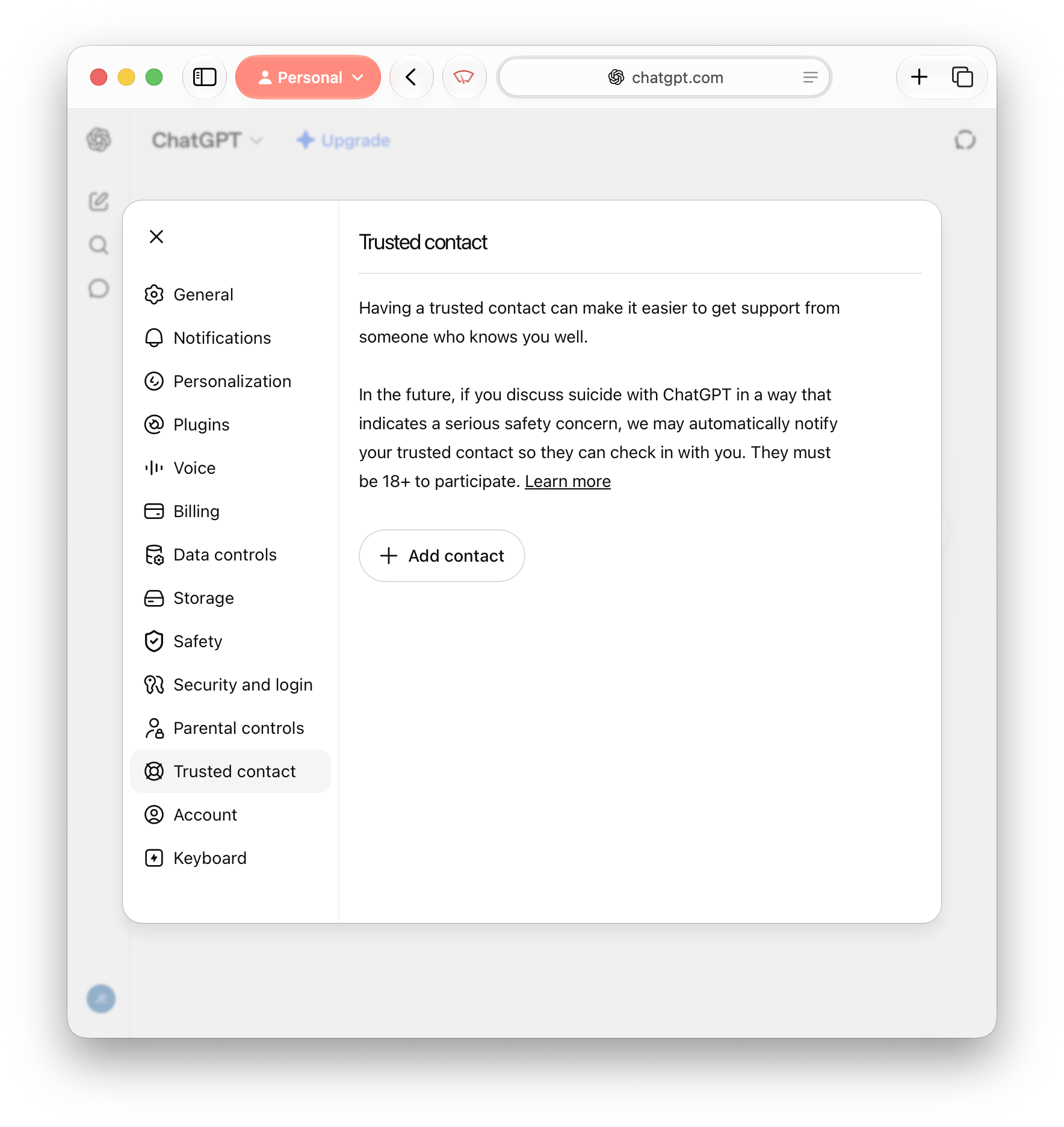
Your Trusted Contact within ChatGPT works in a similar way to an emergency contact in other areas, providing OpenAI with contact details to use if ChatGPT feels you need additional support – for instance if you start a conversation with ChatGPT around taking your own life. When you add their contact details, they are sent an invite to accept, and then if ChatGPT’s systems detect you are talking about taking your own life, your contact may be notified and encouraged to check in with you.
The italics on “may” in the previous sentence are worth explaining further. Taking your own life is the only specific area of concern that OpenAI mention would trigger their systems and reach out to your contact of choice, and even then there is a lot of a hedging in how they describe this feature:
“...if automated systems and trained reviewers detect you may be talking about suicide in a way that signals a serious safety concern, ChatGPT may notify your trusted contact”
Although there are positives here in OpenAI referencing both automated systems and trained reviewers catching and flagging conversations in this vein – though there is ambiguity over whether this is a two-stage process, how long it takes etc. – even then they only say that ChatGPT may contact your designated trusted contact.
Despite the areas of vagueness above, this is nevertheless a feature that sets ChatGPT apart from its competition – and is something I would recommend all ChatGPT users make use of, and users of competing AI services enable as soon as equivalent features are made available on their platform of choice.
Safety > Parental controls
Last but not least, ChatGPT’s Parental Controls. Naturally intended for parents of AI-using children and teenagers, but nevertheless worth considering given that there is a good amount of granular control that parents can have in managing their children’s AI use.
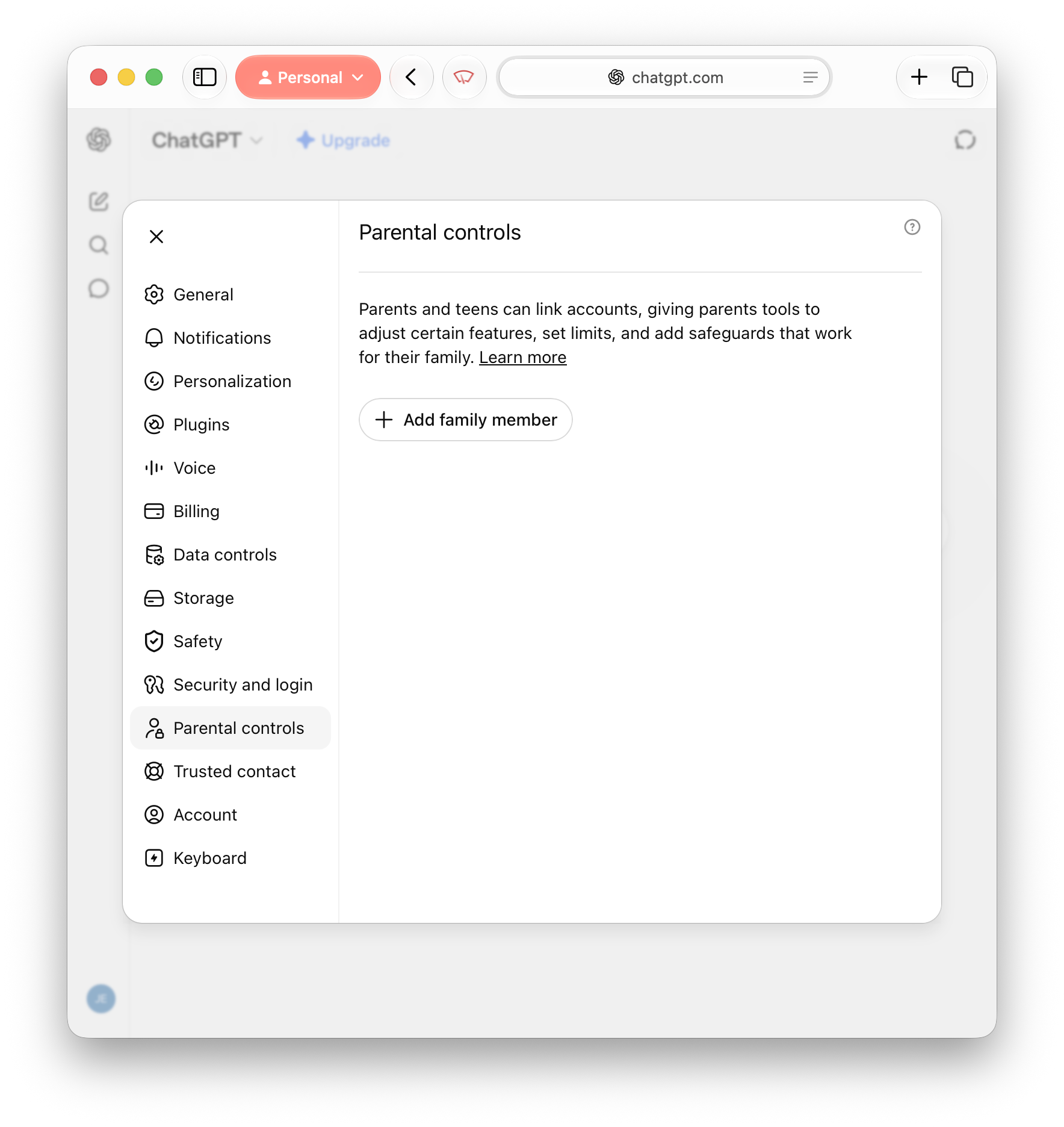
There are nine options for parents to choose from as of writing:
Whether ‘Reduce sensitive content’ is enabled or disabled – defaults to on
Whether your child’s conversations with ChatGPT can or cannot be used to improve the model in the future – defaults to off
Whether ChatGPT can save and reference ‘memories’ of previous conversations your child has had with it in future conversations to more effectively “personalise [its] responses” – defaults to on
Whether code generated and run from ChatGPT Work can connect to external services, including public websites and APIs – defaults to on
Whether ChatGPT Work can visit public websites using the browser built into the ChatGPT app – defaults to on
Whether your child can use ChatGPT’s ‘Voice Mode’ – defaults to on
Whether your child can create and edit images in ChatGPT – defaults to on
Whether new conversations in ChatGPT start with ‘Study Mode’ enabled – defaults to off
The times within which new conversations start with ‘Study Mode’ enabled – defaults to off, with no hours scheduled
The times within which your child can use ChatGPT full stop – defaults to off, with no hours scheduled
Take your time choosing which of these feels right for you and your child. Credit where credit’s due, this the most robust suite of parental controls on any AI platform today – as of writing, at least.
Claude
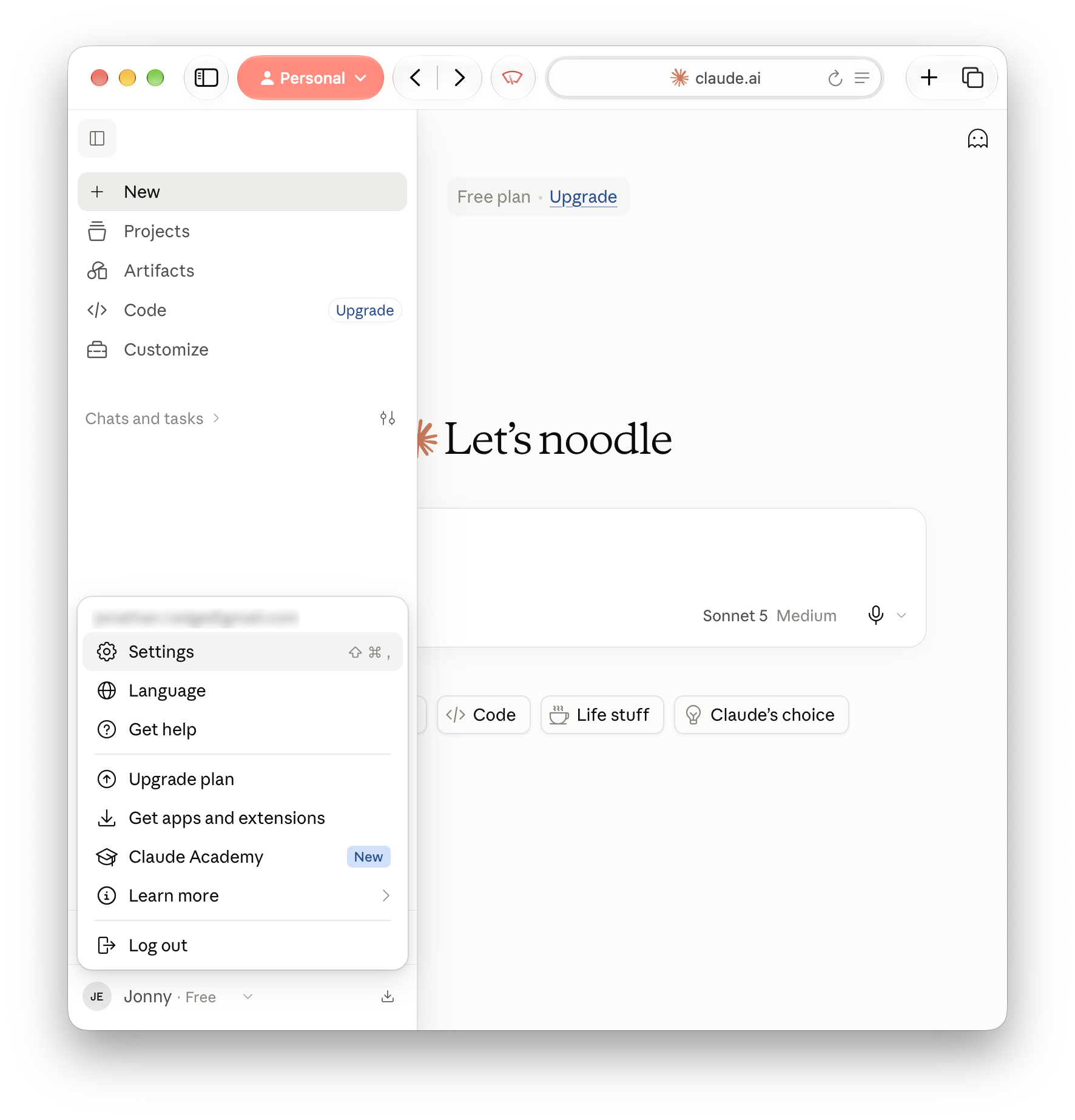
Much like with ChatGPT, click your profile picture and go to Settings.
Memory > Include sensitive topics in memory
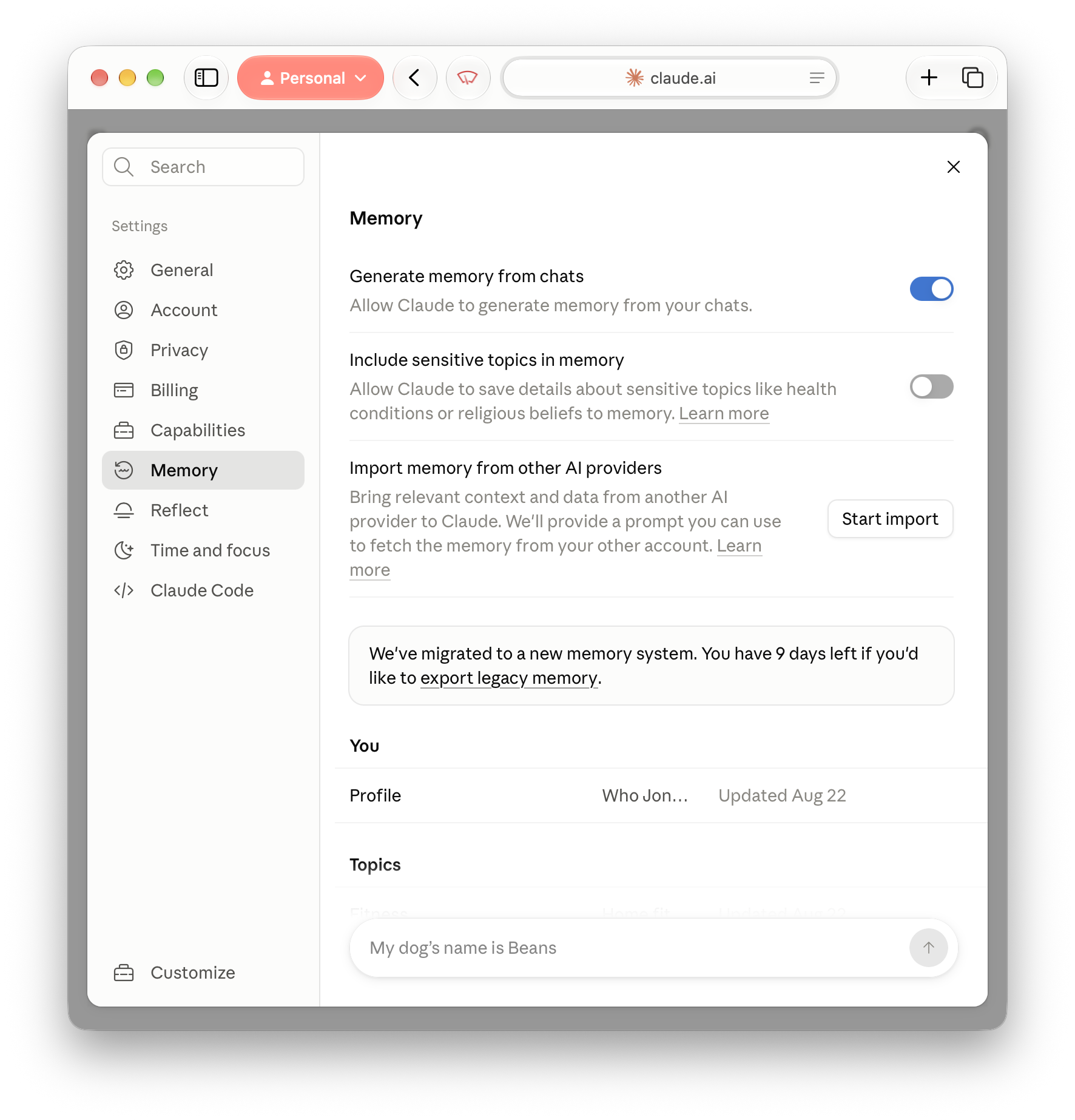
This single option is (arguably) the only user safety-minded option in Claude’s Settings right now, but it is a potentially impactful one. By default, Claude does not store information you share related to the following:
Health
Race
Ethnicity
Religious beliefs
Politics
Gender identity
With “Include sensitive topics in memory” disabled, any one-off conversation you have with Claude about your health will be just that, a one-off. The AI won’t recall or reference the conversation in future chats, and if you open a new conversation about a different health complaint, you will need to explain everything from the beginning.
If you would rather not explain these areas each time, you can include them in Claude’s memory, granting Claude the opportunity to reference your health, race, ethnicity, politics and so on in future conversations.
Even with this option enabled, Claude will never store the following, and should let you know that this is the case if you attempt to have the AI store it:
Government ID numbers
Criminal history
Financial account numbers
Immigration status
Time and focus
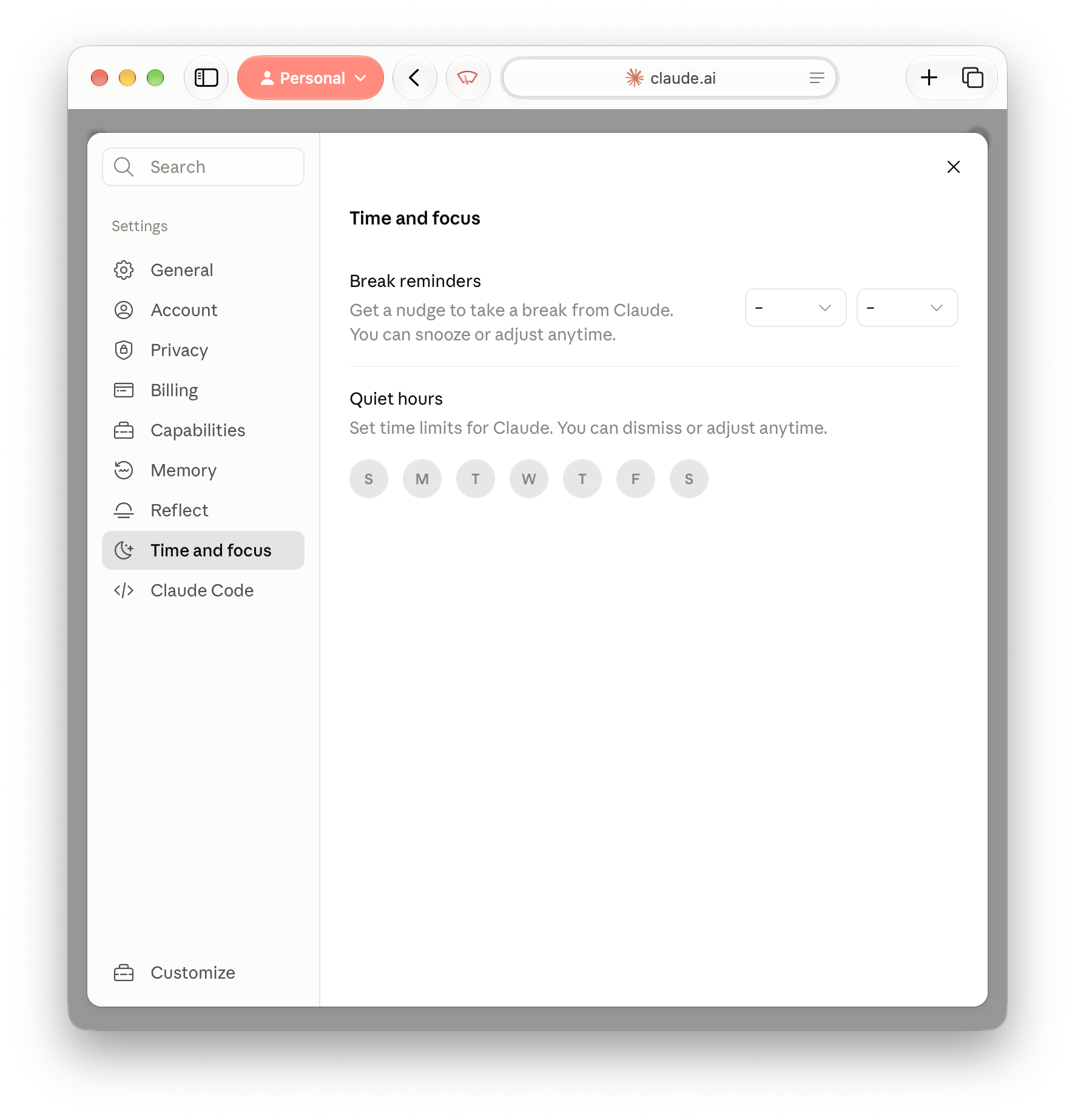
‘Break reminders’ and ‘quiet hours’ work similarly, the former encouraging you to take a break from chatting to the AI after a set amount of time – starting at 15 minutes, and going up to a maximum of 12 hours – and the latter establishing set time windows within which you would like to avoid using Claude altogether. In both cases, these settings only apply “light friction” rather than a “hard lock” – meaning you will simply have to click to continue past the notice, but it will nevertheless serve as a reminder that you had planned not to use the AI at that point.
Anthropic and Claude’s Overall Approach to User Safety
In the absence of equivalent user safety options to those described above in ChatGPT, Claude and Anthropic do make something of a commitment to user safety in the following statement:
“User safety is core to Anthropic’s mission of creating reliable, interpretable, and steerable AI systems. As we launch new ways for people to interact with Claude, we also expect to see new types of potential harm materialise, whether through the generation of misinformation, objectionable content, hate speech or other misuses. We are actively investing in and experimenting with additional safety features to supplement our existing model safety efforts and are working to provide helpful tools to a wide audience while also doing our best to mitigate harm…”
And so although Claude gives you the user less options in terms of safety, Anthropic argue they have safety measures already baked into Claude’s systems that:
Flag potentially harmful content that goes against their usage policies
Blocks responses from Claude when a prompt is flagged as harmful
Increase and decrease safety filters based on previous use of Claude – meaning the responses you receive from Claude may be more or less limited depending on how many times you have triggered either of the above previously (though any limits imposed upon you are also reduced after “a period of no or few violations”
Conclusion
These are the options you could, and probably should, consider enabling or activating if AI is something you use regularly – and exactly as I said in my original Instagram Reel loosely discussing safe AI use, remember that although AI is responsive and appears to really listen to you, it is always more likely to agree with you than not, and as such, even with the above implemented it doesn’t necessarily have your best interests at heart – it just doesn’t want to disappoint you.
Sources
Anthropic. (n.d.). Use Claude's chat search and memory to build on previous context. Claude Support. Retrieved September 1, 2026, from https://support.claude.com/en/articles/11817273-use-claude-s-chat-search-and-memory-to-build-on-previous-context#h_6fe1d0e66f
Anthropic. (2026, March 16). Our Approach to User Safety. Claude Support. Retrieved September 1, 2026, from https://support.claude.com/en/articles/8106465-our-approach-to-user-safety
Anthropic. (2026, July 9). Set break reminders and quiet hours. Claude Support. Retrieved September 7, 2026, from https://support.claude.com/en/articles/15672868-set-break-reminders-and-quiet-hours
OpenAI. (n.d.). Parental controls in ChatGPT. OpenAI Help Center. Retrieved August 11, 2026, from https://help.openai.com/en/articles/12315553-parental-controls-in-chatgpt
OpenAI. (n.d.). Reduce sensitive content in ChatGPT. OpenAI Help Center. Retrieved August 11, 2026, from https://help.openai.com/en/articles/12315645-reduce-sensitive-content-in-chatgpt
OpenAI. (n.d.). Trusted contacts in ChatGPT. OpenAI Help Centre. Retrieved September 1, 2026, from https://help.openai.com/en/articles/20001105-trusted-contacts-in-chatgpt